
Author: Geoff Cudd, Founder, Deal Prospectors
Finding businesses for sale isn’t really about scrolling BizBuySell and hoping something jumps out.
The strongest deals usually start earlier, when an owner is quietly thinking about what comes next but hasn’t decided to list yet.
I run a company that helps searchers identify and connect with off-market business owners. Along the way, we see a wide range of sourcing approaches.
Some of the methods below are ones our team uses directly. Others are approaches we recommend to buyers who want to run their own proprietary search.
The real advantage comes from combining a few of these sources, and we’ll walk through a practical example at the end.
Tier 1: Where Most Buyers Start (Very Common)
1. Online Business Marketplaces (Big Aggregators + Niche Marketplaces)
What This Is
Public listing platforms like BizBuySell and BizQuest where owners actively market their businesses for sale.
How Most People Use This
They scroll listings, apply filters, and compete with every other buyer doing the exact same thing.
How to Use This More Effectively
Marketplaces shouldn’t just be treated as a primary sourcing channel. They’re more useful as a market intelligence layer, and often provide more value from what happens around listings than from the listing itself.
Specifically, it’s worth paying attention to:
- Listings that sit for 90+ days
- Listings with multiple price reductions
- Listings that quietly disappear without selling
Those situations often create sellers who are:
- More flexible on structure
- More realistic on price
- More open to off-market conversations
Marketplaces are also useful for understanding:
- Typical add-backs in an industry
- How sellers frame their story
- What buyers are currently reacting to in the market
Less Obvious Marketplaces to Monitor
Beyond the big aggregators, there are industry-specific sites where competition is lower because fewer buyers know they exist. Sites like:
- RestaurantOwner.com for food and beverage businesses
- Gas Station Traders for convenience stores and gas stations
- SalonBrokers.com for beauty industry businesses
- MedicalPracticeForSale.com for healthcare practices
Limitations
If marketplaces are the only place you look, you’re competing head-to-head with the entire buyer pool, and you’re mostly seeing owners after they’ve already decided to sell.
Best Used For
Market education, pricing calibration, and post-listing outreach to motivated sellers.
2. Business Brokers and Intermediaries
What This Is
Licensed brokers who represent sellers, often before a business hits a public marketplace.
Why This Works
Brokers see seller intent before buyers do. They know:
- Who is serious
- Who is unrealistic
- Who is quietly thinking about selling
That context never shows up in a listing.
How to Approach Brokers
This shouldn’t be treated as a one-call channel. It works best as a relationship and a long game.
- Short introductory calls
- Clear explanation of what you’re looking for
- Periodic check-ins asking which deals are stalling or falling apart
Over time, brokers remember buyers who are responsive, professional, and realistic. That’s when opportunities start appearing before they’re marketed broadly.
Extra Context That Matters
This channel works best when you sound like you’re doing real work.
Even something as simple as being able to clearly state the industries you’re focused on, the size you’re targeting, and the geography you’re willing to buy in can change how brokers engage with you.
Limitations
If you’re unfocused, early, or clearly not ready to transact, brokers will deprioritize you quickly.
Best Used For
Buyers who are credible and actively looking to acquire within 3 to 6 months.
3. Google Maps (Google Business Profiles)
What This Is
Local business listings surfaced through Google search.
Why This Works
Every real operating business shows up here, whether the owner wants to sell or not. That makes this one of the most complete datasets available, especially for local service businesses.
How to Use This in Practice
A typical process looks like this:
- Search “[industry] near me”
- Export results using Instant Data Scraper (Chrome extension)
- Pull business name, address, phone number, and website
From there, narrow the list:
- Remove obvious franchises
- Remove brand new businesses
- Prioritize companies with long review histories
It’s also worth reading owner responses. Tone matters. Fatigue and disengagement often show up there.
What Makes This Work
This is a volume channel. The value doesn’t come from the scrape itself. It comes from enrichment and filtering afterward.
How to Handle the Next Step
The scraped list should be run through a basic enrichment pipeline:
- Use Clay to normalize business names and websites
- Pull company size and industry tags
- Find the likely owner or decision maker (Owner, Founder, CEO)
- Add contact enrichment to pull emails and LinkedIn profile URLs
Limitations
Without enrichment, the list is too broad to act on. You’ll have business names but no clean path to an owner conversation.
Best Used For
Local service businesses and geographic roll-ups.
4. LinkedIn (Including Sales Navigator)
What This Is
The largest searchable database of business owners and executives.
Why This Works
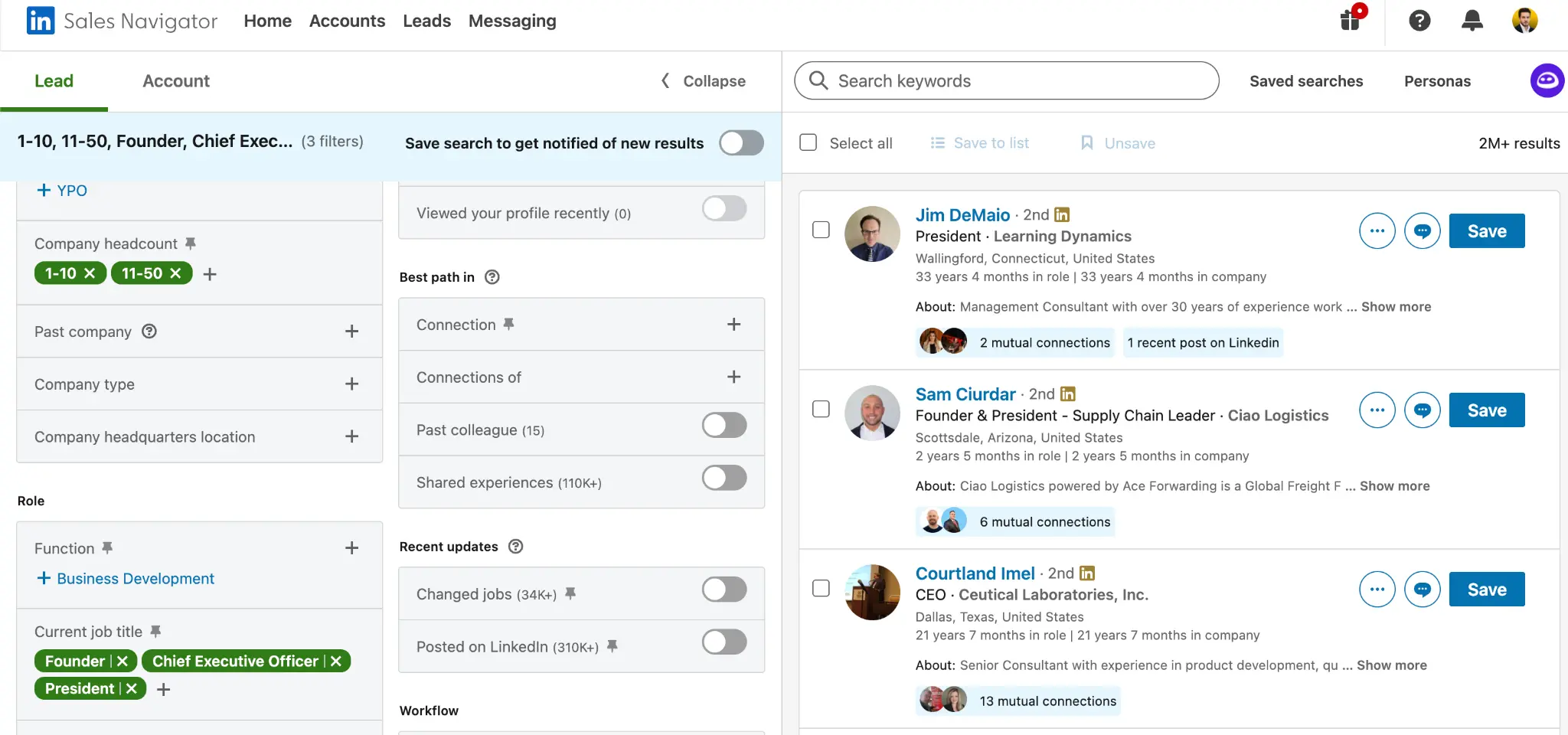
LinkedIn shows time. Time in role is one of the strongest exit indicators, and it’s also one of the easiest filters to use.
How to Use Sales Navigator
Recommended filters:
- Job titles: Owner, Founder, CEO, President
- Company size: 2 to 50 employees
- Geography: within 50 miles of target area
- Years at current company: 10+
- Seniority level: Owner, Partner, CXO
- Headcount growth: Negative (often signals stagnation or stress)
Advanced Search Tactic
Boolean strings are useful for capturing real-world language:
(“business owner” OR “founder” OR “proprietor”) AND (“HVAC” OR “plumbing” OR “electrical”)
How to Handle the “No Company Page” Problem
Small businesses often don’t have a real LinkedIn company page. When that happens, start with people and use:
- Title filters
- Geography filters
- Keyword filters (industry terms, sometimes even address or phone if available)
Cost Context
- $79.99/month on an annual plan ($959.88/year)
- $119.99 month to month
It’s not cheap, but one solid conversation typically pays for it.
Limitations
Vague targeting leads to generic outreach and poor response rates.
Best Used For
Systematic, repeatable sourcing at scale.
5. Facebook Groups
What This Is
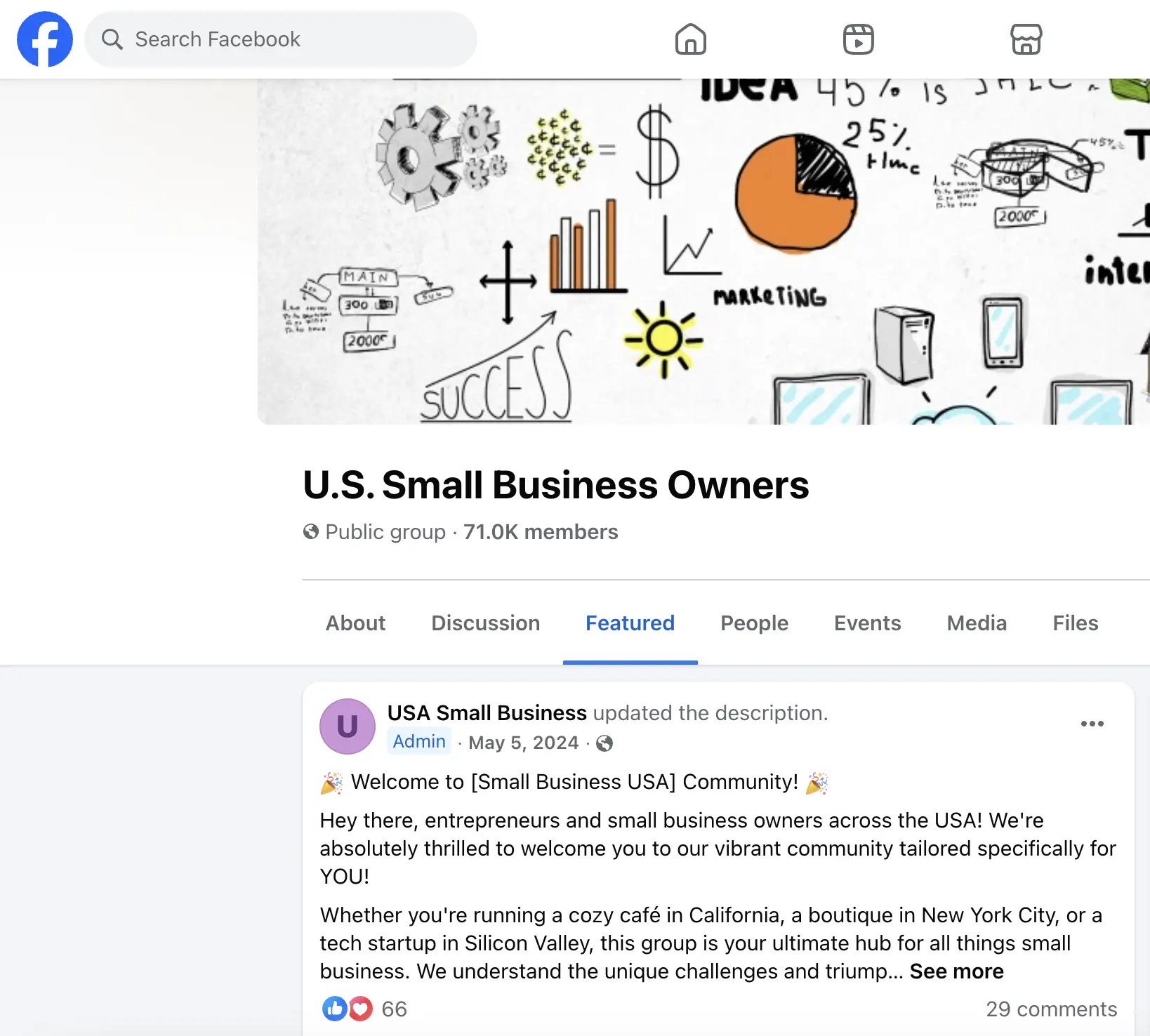
Private and public groups where small business owners actually talk.
Why This Works
Owners are far more candid here than on listing sites. This is one of the few places where you’ll see “thinking out loud” before an owner makes a decision.
Groups to Monitor
- “Business Owners [City]”
- Industry-specific groups (HVAC Business Owners, Restaurant Owners)
- “Small Business for Sale – [Region]”
- Succession planning groups
What to Look For
Search for variations of:
- “business for sale”
- “looking to exit”
- “partner wanted”
- “too busy to manage”
- “thinking about selling”
Owners rarely announce an exit directly. They talk around it first.
How to Keep It Sustainable
Treat this as a monitoring channel. Check consistently, save posts that matter, and follow patterns rather than chasing one-offs.
Limitations
This is not a pitching channel. Posting offers will get you removed quickly.
Best Used For
Early intent detection and warm outreach.
Tier 2: Familiar but Underused Sources
6. Industry Associations and Chambers of Commerce
What This Is
Membership-based organizations of established business owners.
Why This Works
Members pay dues, which usually means they’re serious operators, not hobbyists. Most directories also have strong location and category filters, which makes them useful for quickly narrowing.
Examples To Use
- National Federation of Independent Business (NFIB)
- Industry-specific groups like HVACR, NRA (restaurants), NACS (convenience stores)
- Local chambers of commerce membership directories
How To Use Them
- Access searchable directories
- Filter by location and business type
- Cross-reference with LinkedIn
Membership Access Note
Some directories require membership to access. A $200 annual fee is often worth it if you’re serious about a specific industry.
Limitations
Directories can be incomplete or slightly outdated, so they’re best treated as lead sources, then verified using LinkedIn, Google, and company websites.
7. Local Business Directories and Licensing Databases
What This Includes
- Better Business Bureau directory
- City and county business license databases
Why This Works
These records are often more current than state registries because they affect operations and compliance. In many cases, they include owner contact info that’s more current than other sources.
How To Use Them
- Confirm owner names
- Validate locations
- Cross-check longevity
- Use them as a reality check when other sources conflict
How to Find Them
Search “[your city] business license lookup.”
Limitations
Not every city makes data easy to search or export, so you may need to do manual research depending on the municipality.
8. Local Newspapers and Business Journals
What This Is
Regional publications that cover business milestones and local economic activity.
Signals To Watch For
- Retirements
- Closures
- Anniversaries
- Awards
How To Monitor
Google Alerts like:
“[city]” AND “business owner” AND (“retiring” OR “closing” OR “anniversary”)
Business Journal Note
Business journals (Crain’s, Charlotte Business Journal, etc.) publish who’s who lists and acquisition announcements. You shouldn’t expect huge volume here, but when it hits the right thing, it can be surprisingly valuable.
Limitations
It’s inconsistent and not a steady lead source. You should treat this as a bonus channel, not a foundation.
9. Industry Forums
What This Is
Old school forums where long-time operators hang out.
Examples
- Entrepreneur.com forums (active acquisition section)
- BizWarriors (deal-focused community)
- HVAC Talk, ChefTalk, Technibble (IT)
How To Use Them
Monitor discussions around burnout, staffing issues, and exit curiosity. Google Alerts can also be set when possible, with the understanding that alerts can be imprecise.
Alert Tactic
Set alerts like: “[forum name] selling business”
Google Alerts are useful when they work, but they’re not always precise.
Limitations
Forum content can be scattered, so it requires patience. The upside is that the people there are often real operators, not tourists.
10. Industry Conferences and Trade Shows
What This Is
In-person events for engaged owners.
Why This Works
Owners attending are actively involved in their business and are often open to conversations. Even if they aren’t thinking about selling, they usually know someone who is.
How To Approach Them
- Attend local and national conferences
- Collect business cards
- Follow up with simple “how’s business” emails
Limitations
This channel is time-intensive. It’s best used when you already have a clear niche and you want higher-quality relationships, not raw volume.
Tier 3: Data Platforms and Enrichment Tools
11. Apollo.io
What This Is
A contact and company database optimized for SMBs.
Why We Use It
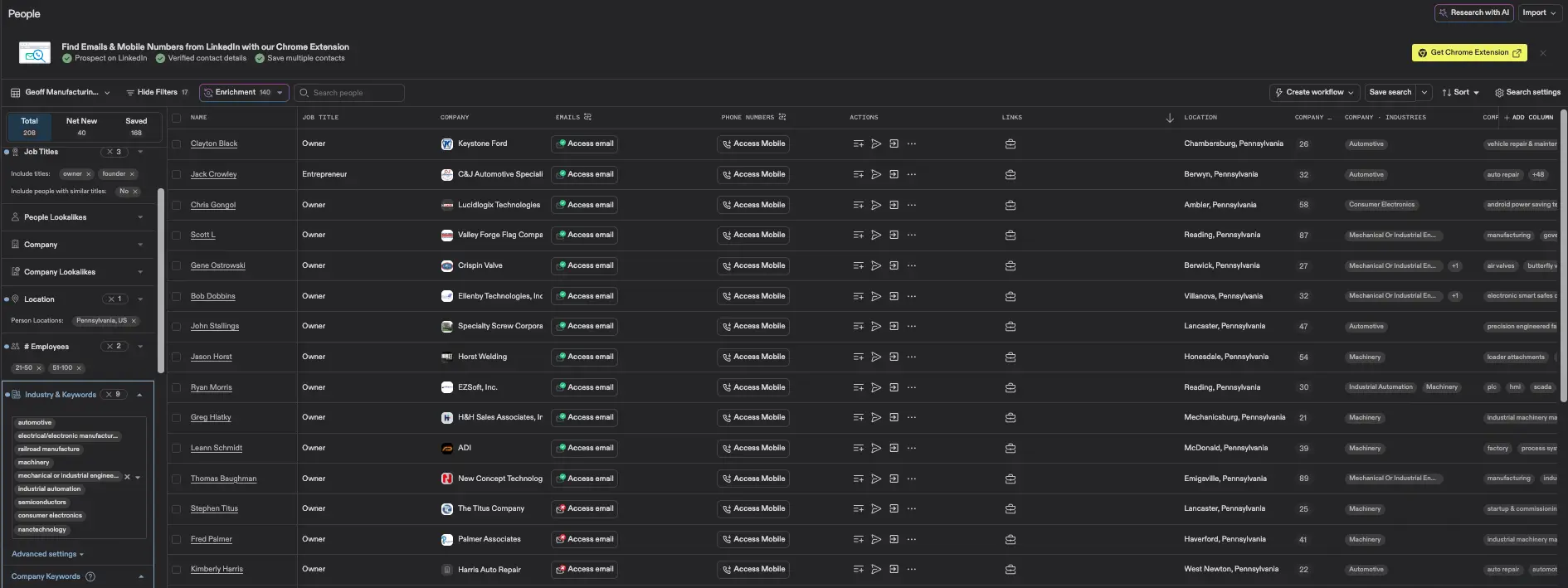
Apollo is like Sales Navigator’s scrappier cousin and it’s often better for smaller businesses that aren’t active on LinkedIn.
Filters To Use
- Employees: 1 to 10
- Revenue: $500K to $5M
- Years in business: 5 to 15
- Technologies used (for SaaS or tech-enabled businesses)
How to Use It in Practice
Export lists of owners in small batches and use Apollo for:
- Finding the right people
- Pulling email addresses (many are verified)
- Running email outreach in the same workflow if preferred
Pricing
- Free tier: 50 credits/month
- Professional plan: $79/month annual or $99 month to month
Limitations
Apollo is strong, but it’s not perfect. Email verification is still important before sending outreach when deliverability matters.
12. ZoomInfo
What This Is
Enterprise-grade data platform.
Reality Check
Expect $15K to $25K per year minimum, usually with multi-seat requirements. It’s expensive.
When It Makes Sense
Accuracy matters most in industries like:
- Professional services
- Healthcare
- Financial services
For most buyers, Apollo or Sales Navigator is a better value.
13. Crunchbase (Tech and SaaS Only)
What This Is
Startup and funding intelligence platform.
How to Use It
This is best used when targeting tech or SaaS businesses. If that’s not the focus, it’s usually a skip.
What to Search For
- Companies with last funding 3 to 5 years ago (runway pressure can increase exit interest)
- Acquisition activity and who is buying in the space
- Founder information for direct outreach
Pricing
- $49/month annual
- $59/month
Free tier is too limited for serious sourcing.
14. Reddit
What This Is
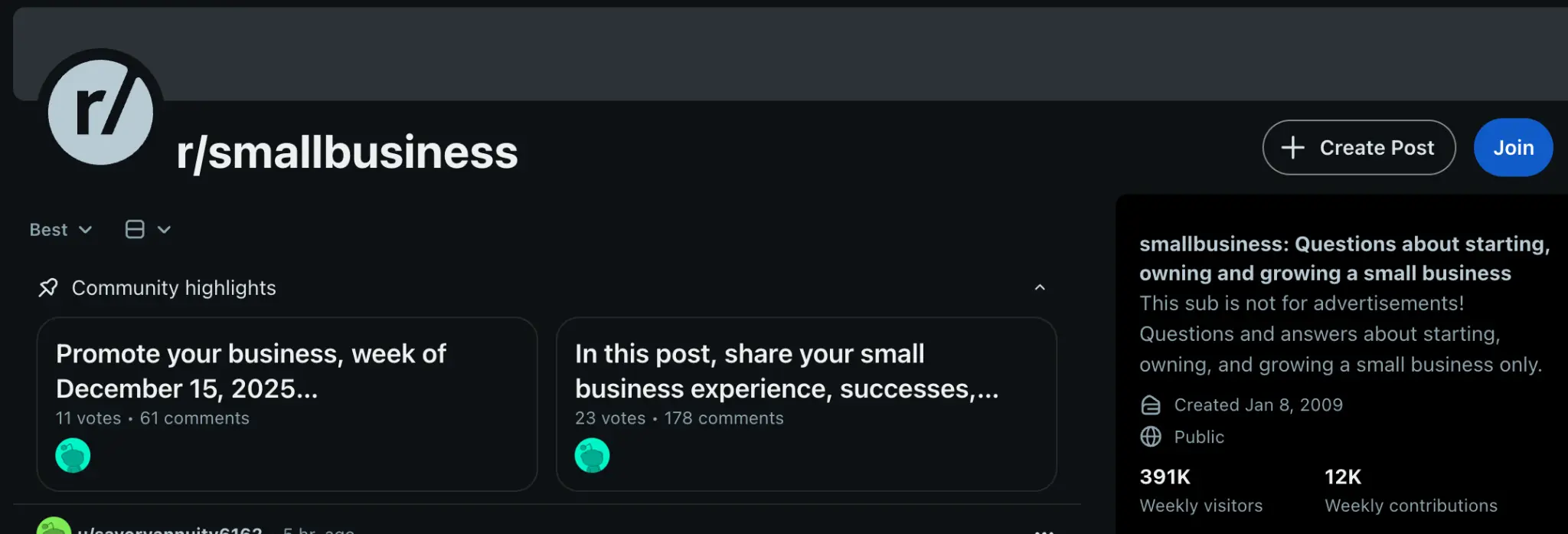
Anonymous discussion communities that are surprisingly active for deal flow.
Subreddits To Monitor
- r/smallbusiness
- r/entrepreneur
- r/sweatystartup (service businesses)
- r/restaurateur
- r/MSP (IT businesses)
How To Search
Use Reddit search with filters like:
- “selling OR exit OR buyer wanted” within the past 3 months
Limitations
Reddit is noisy, and it skews toward advice seeking rather than deal posting, but it’s still a useful signal channel for owners thinking out loud.
Tier 4: Public Records and Hidden Signals
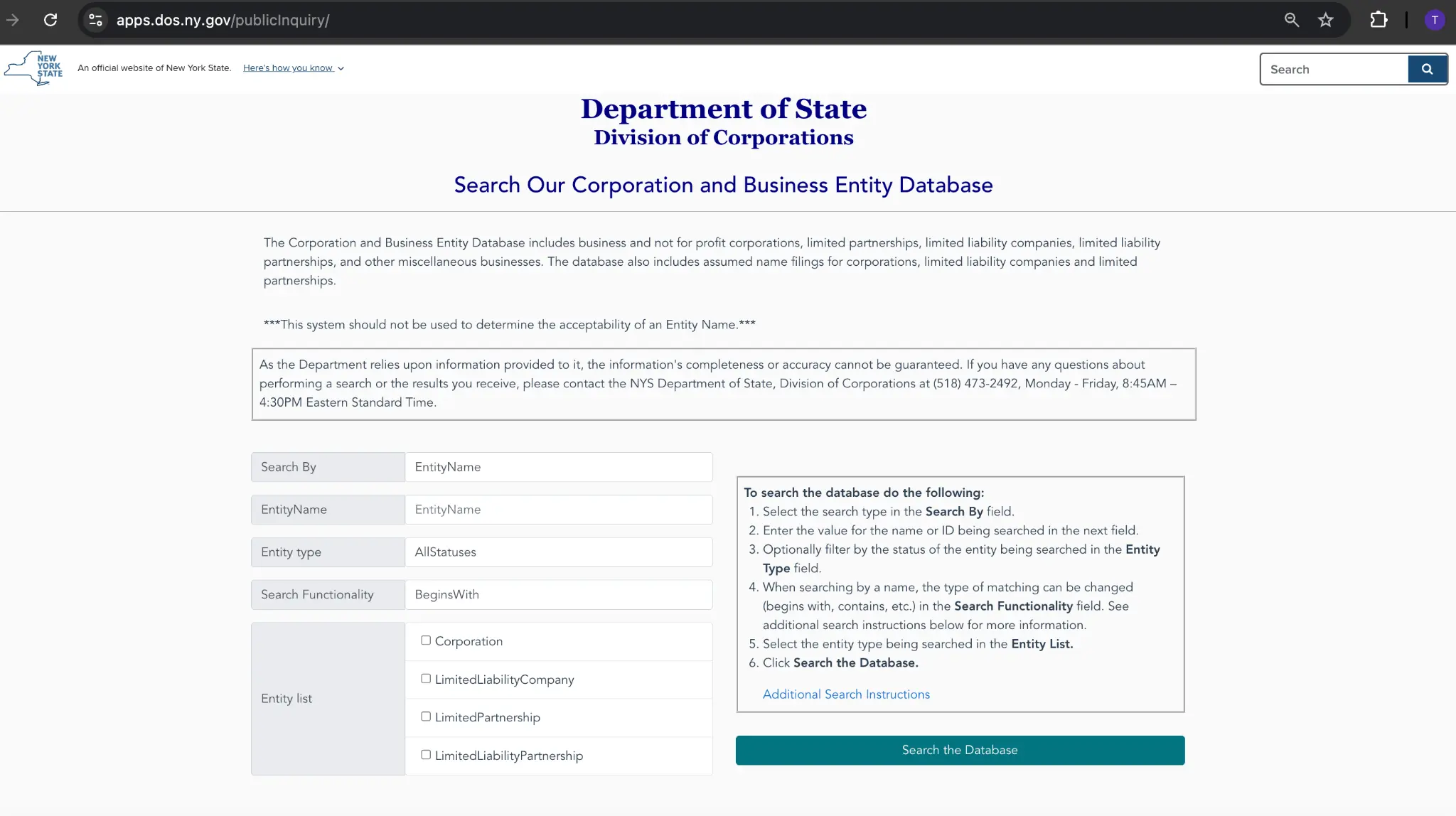
15. Business Registries & Public Records (Secretary of State Searches)
What This Is
Every state maintains a searchable database of registered businesses. These databases typically include formation date, registered agent information, and current status.
Why This Matters
These databases aren’t useful because they explicitly say an owner wants to sell. They’re useful for understanding where a business sits in its lifecycle.
Many exits happen once a business has proven itself and the owner has run it long enough to feel burned out or ready for a change.
How To Use It In Practice
- Search the Secretary of State database in the target state
- Sort or filter by formation date whenever possible
- Pay attention to:
- Businesses formed 5–10 years ago
- Aging or unchanged registered agent information, which can sometimes signal succession or disengagement
Businesses in that 5–10 year window often have a real operating history, but the owner may be more open to an exit than someone who just started last year.
16. Permits & Inspections
What This Is
Municipal records for renovations, health inspections, alcohol licenses, and other regulatory activity.
Why This Matters
Permits and inspections indicate change. Sometimes that change means an owner is preparing a business for sale. Other times it means they’re reinvesting and won’t sell.
Either way, it gives you a legitimate reason to look closer and potentially start a conversation.
How To Use It
- Monitor local postings for:
- Renovations and build-outs
- Health inspections
- Alcohol or specialty licenses
- Use the permit as a prompt to research:
- How established the business is
- Who likely owns it
- Whether it fits your criteria
A permit isn’t proof of intent. It’s a signal that something is happening.
17. Franchise Disclosure Documents (FDDs)
What This Is
If you’re targeting franchise locations, Franchise Disclosure Documents list franchisees by location.
Why This Matters
An FDD can give you a clean owner list in minutes. Instead of guessing which locations exist, you can pull the franchise roster and work outward from there.
How To Use It
- Download the FDD for the franchise brand
- Extract the franchisee list in the target geography
- Cross-reference those names with LinkedIn to identify the owner-operator
For example, downloading the Anytime Fitness FDD and pulling franchisees in a specific state gives you a ready-made sourcing list.
18. Commercial Real Estate Listings (LoopNet, CREXi)
What This Is
Commercial real estate listings where the underlying property is being marketed.
Why This Matters
Owners often list their property before selling the business itself. When the listing language references an operating business, it’s often an early signal of a transition.
How To Use It
- Monitor listings for phrases like:
- “Seller-user property”
- “Operating business included”
- Treat these listings as potential:
- Business + real estate acquisitions
- Or businesses that may need to relocate, which still opens the door to a conversation
19. Supplier Networks
What This Is
Suppliers who sell into the industries you’re targeting.
Why This Matters
Suppliers often know which customers are struggling, scaling down, or losing momentum long before buyers do. You’re not asking them to gossip. You’re asking them to connect you with owners who may be open to a conversation.
How To Use It
- For HVAC targets, talk to HVAC supply distributors
- For restaurants, talk to food distributors
- Ask what they’re seeing:
- Reducing order volume
- Changing buying patterns
- Pulling back operations
You may want to offer a finder’s fee. It works.
20. Court Records (Divorces, Bankruptcies, Lawsuits)
What This Is
Federal and state court databases, including PACER for federal filings.
Why This Matters
Legal events can force transitions. Divorce, bankruptcy, partnership disputes, and litigation often create situations where an owner becomes open to selling when they otherwise wouldn’t have been.
What To Look For
- Business-related lawsuits, especially partnership disputes
- Bankruptcies that suggest financial stress
- Divorce filings where business assets may need to be liquidated
This is a sensitive category. It’s best treated as an internal signal, not a talking point. Outreach should always be respectful and indirect.
21. Networking Through Brokers & Lawyers
What This Is
Ongoing relationships with business brokers and M&A attorneys.
Why This Matters
These professionals often know who’s thinking about selling long before anything becomes public. Staying top of mind puts you in the flow of early conversations.
How To Approach Them
- Buy them coffee
- Ask what they’re seeing in the market
- Stay in touch without being pushy
This is a long-game channel. The value compounds over time.
Practical Walkthrough: From Directory Listing to Outreach
Let’s say you find the following listing in an HVAC directory:
New Homes J.L. HVAC Inc
323 Scholes Street
Brooklyn, New York 11206
(718) 381-8808
Here’s how you would turn that into a qualified owner lead.
Step 1: Identify the Owner (Sales Navigator First)
Start with LinkedIn Sales Navigator.
Company-First Attempt
- Lead Search
- Company: “J.L. HVAC” or “New Homes HVAC”
If the company doesn’t appear, which is common for small businesses, switch to a person-first search.
Person-First Search
- Geography: Brooklyn, NY or ZIP 11206
- Job titles: Owner, President, Proprietor
- Keywords:
- HVAC + “Scholes Street”
- HVAC + “J.L. HVAC”
- HVAC + “New Homes HVAC”
It’s also worth trying the business phone number in quotes, since some owners list it directly on their profile:
- “(718) 381-8808”
Step 2: Cross-Check With Google
If Sales Navigator comes up empty, Google often fills the gap.
Search:
- “J.L. HVAC owner Brooklyn”
- site:linkedin.com “J.L. HVAC” Brooklyn
This frequently surfaces profiles hidden from Sales Navigator due to privacy or weak company matching.
Step 3: Check the Website
Visit the company website and look for:
- About pages
- Founder bios
- Contact pages with personal emails
- Team pages with names and photos
If the site says “Founded by Jose Lopez in 2008,” that’s enough to narrow the search.
At that point, go back to Sales Navigator and filter by:
- First name: Jose
- Last name: Lopez
- Geography: Brooklyn, NY
- Keywords: HVAC
Step 4: Enrich at Scale With Clay (or Apollo)
For one-off leads, manual research works. At scale, it’s best to automate.
Clay Workflow
- Upload a CSV with company name, address, phone, and website
- Normalize business names and domains
- Find the company’s LinkedIn page
- Identify owner-level decision makers (Owner, Founder, CEO)
- Pull contact details using a waterfall:
- Hunter.io
- Snov.io
- EmailFinder
- Export with LinkedIn URLs and verified emails
Clay runs about $150 per month for 10K credits and makes sense if you’re sourcing 50+ leads per week.
Lower-Cost Alternative
- Scrape directory listings with Instant Data Scraper
- Upload to Apollo.io
- Use “Find contacts at company”
- Export emails
Step 5: Verify the Email
Before sending outreach, verify emails using:
- NeverBounce
- ZeroBounce
In some cases, test deliverability by sending a low-risk internal email first.
Step 6: Craft the Outreach
By this point you have:
- Owner name
- LinkedIn profile
- Verified email
- Company background and longevity
Email Example:
Subject: HVAC business in Williamsburg
Hi Jose,
We came across New Homes J.L. HVAC while researching HVAC companies in Brooklyn. Twenty-plus years in Williamsburg is impressive — most businesses don’t make it past five.
Our team is looking to acquire an HVAC business in NYC and wanted to see if you’d ever consider an exit, or if you know other owners in the area who might be thinking about it.
Happy to grab coffee in Williamsburg if you’re open to chatting.
Best,
[Your Name]
Why This Works:
- It’s specific to the neighborhood
- It acknowledges longevity
- It’s low-pressure and gives the owner an easy out
- It feels local and human
If there’s no response, follow up with a LinkedIn connection request and check back about two weeks later.
Putting It All Together
Finding owners isn’t about one silver bullet. It’s about stacking sources and staying consistent.
Your weekly rhythm can look like this:
- Monday: Check Facebook groups, Reddit, and forums
- Tuesday: Run Sales Navigator searches in two to three industries
- Wednesday: Scrape Google Maps listings by ZIP code
- Thursday: Enrich leads using Clay or Apollo
- Friday: Send 25–50 personalized emails
Everything is tracked in a simple Google Sheet:
- Company name
- Owner name
- Contact information
- Source
- Status (Not contacted, Emailed, Replied, Meeting, Pass)
Over time, patterns emerge. You’ll see which sources consistently lead to real conversations, not just replies. That’s where you double down.
The goal isn’t fewer emails.
It’s more meaningful conversations.
Now go build your list.
Need help putting this all together?
Deal Prospectors helps searchers with off-market sourcing and outreach.